Wrote the rules first
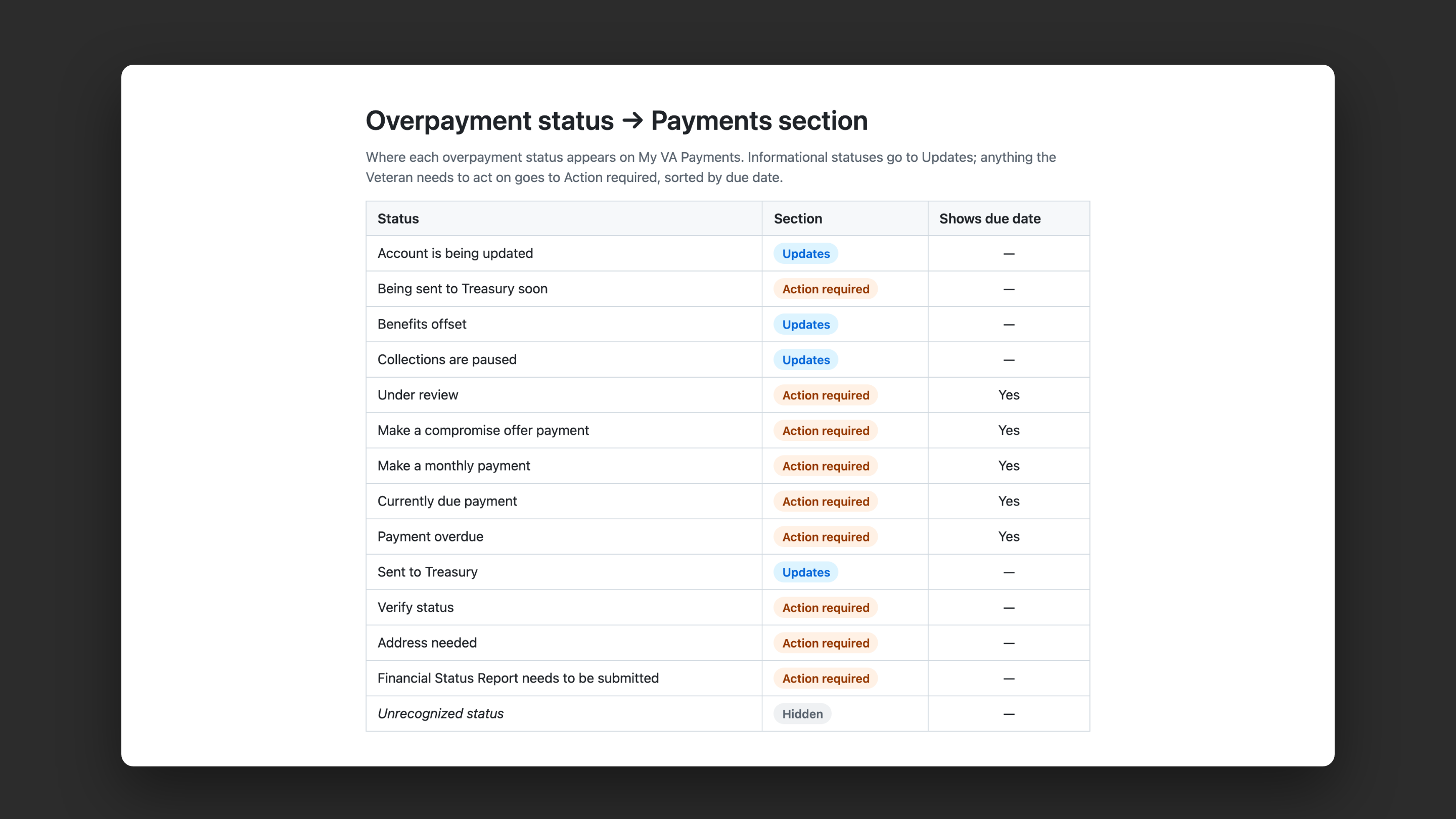
I mapped every status to Action required, Updates or hidden, each with a clear next step. Debts about to go to the U.S. Treasury always go on top, since that’s the worst outcome for a Veteran.
Case study 01
Overpayments, copays and travel pay each lived in a different part of VA.gov. I designed and built one place in My VA where Veterans can see what they owe, what they’ve been paid, and what to do next.
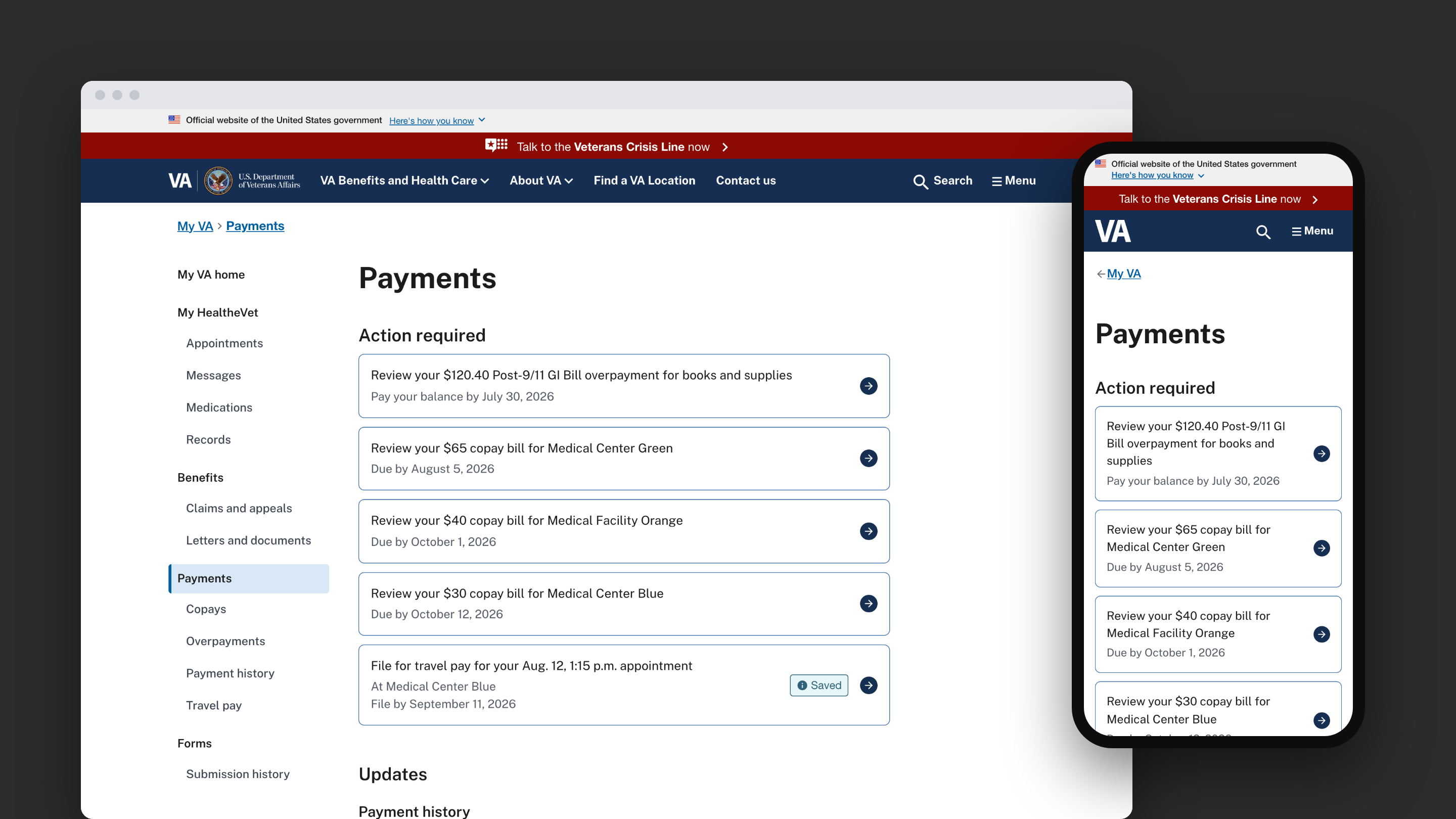
Each payment type came from a different system, and overpayments alone had 13 statuses. Without shared rules, Veterans couldn’t tell what actually needed their attention.
I mapped every status to Action required, Updates or hidden, each with a clear next step. Debts about to go to the U.S. Treasury always go on top, since that’s the worst outcome for a Veteran.
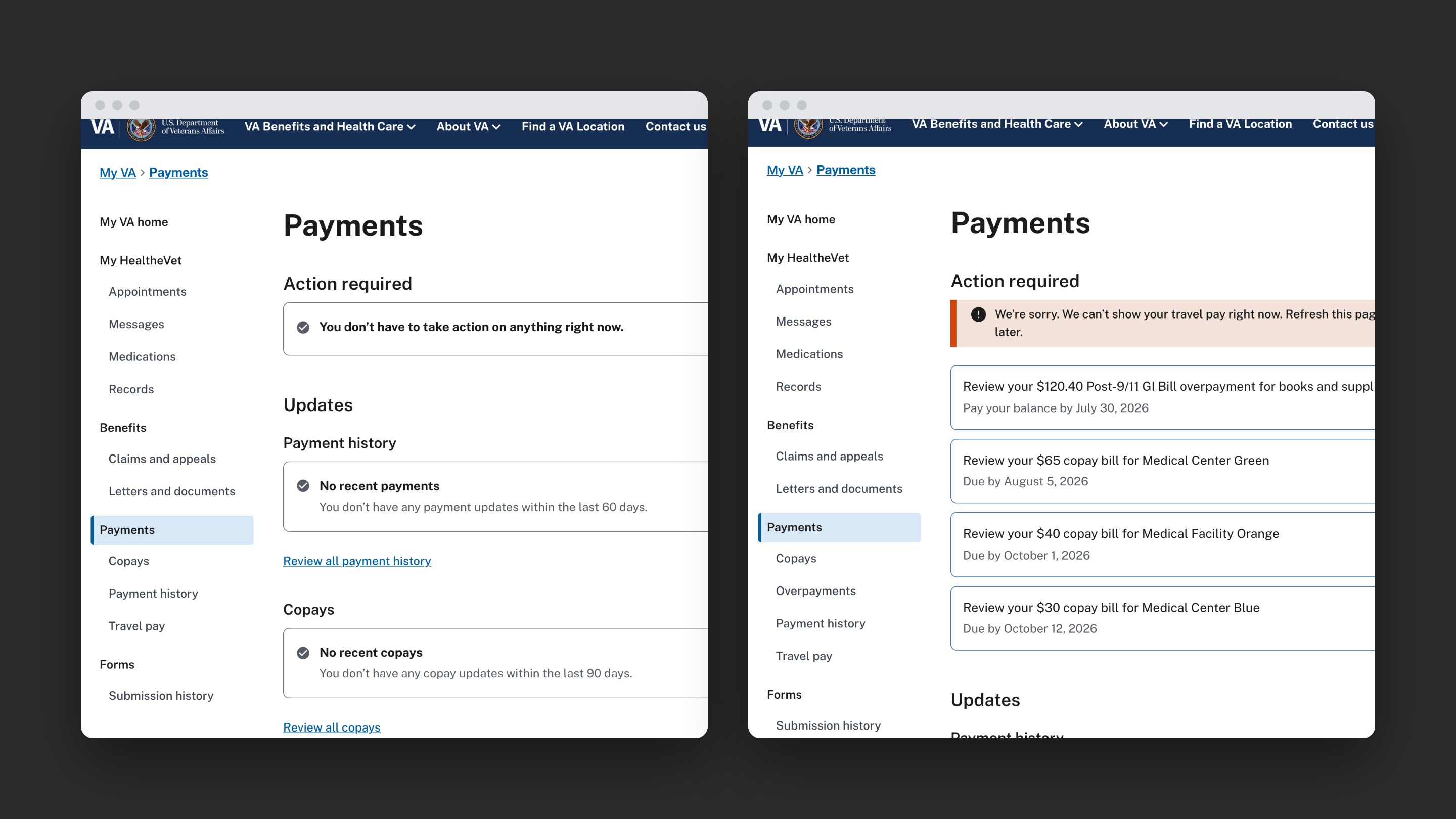
I designed 8 data scenarios, from empty to timeout. If one system goes down, only its section shows an alert.
Before launch, we ran a canary test with real data, and it caught a lot of travel pay bugs. For example, saved and incomplete claims were showing up as updates, so I pulled them out and gave each its own status tag.
Overpayments, copays and travel pay in one view, launching Nov 11, 2026.
Study findings shaped the first release and the next phase.
6 front-end releases, from the rules to the code.
Pulling records from several systems into one view is mostly a rules problem. Getting everyone to agree on the rules was most of the work.